- Go to Accounts -> Patients
- Search for patient and select patient
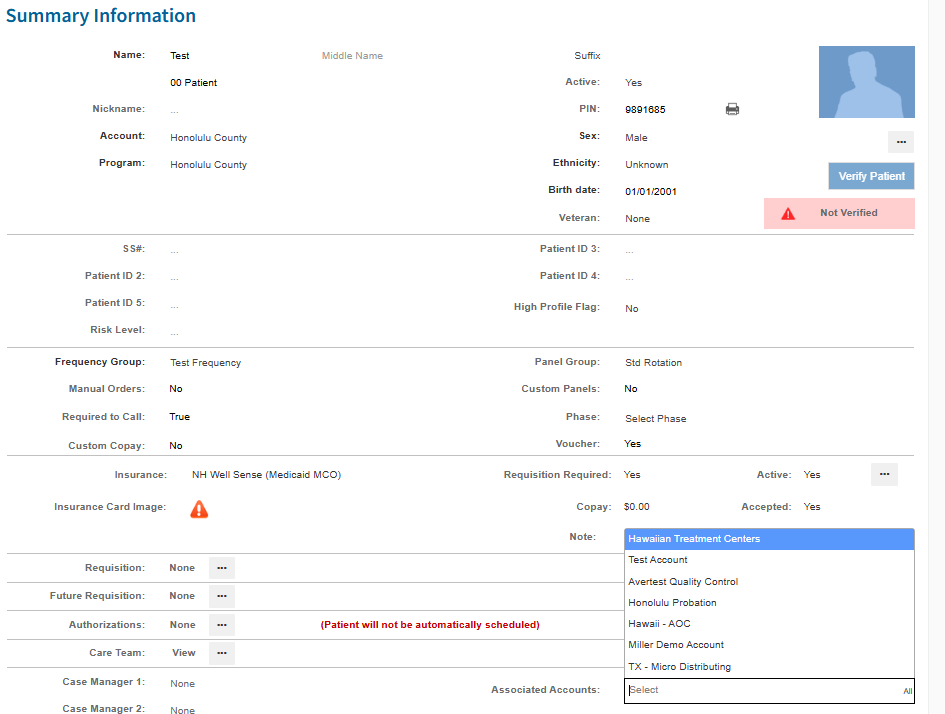
- On Summary page, scroll down to Associated Accounts and click box
- If account requesting association is listed click on that account
- Click Save
*If account requesting is not listed as associated account, reach out to Account Manager and ask if we can add the account to be associated.
Was this article helpful?
That’s Great!
Thank you for your feedback
Sorry! We couldn't be helpful
Thank you for your feedback
Feedback sent
We appreciate your effort and will try to fix the article