- Go to Accounts -> Patients
- Search for patient and select patient
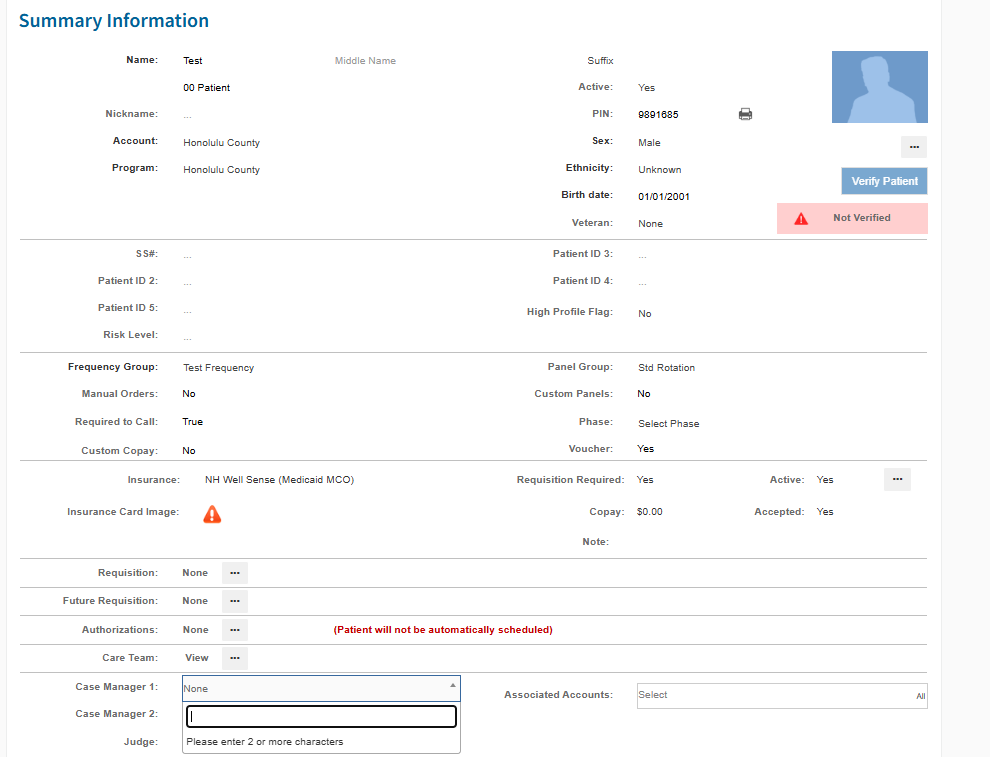
- On Summary page, scroll down to Case Manager and click on a blank section.
- Start typing in name of Case Manager. If found click on the name
- Click Save
* If case manager DOES NOT appear, go to the Account Information page and find the state where the PO is from. See what it states about adding access for case managers. If you can proceed, use the Providing Program Access guide to add access.
* If you cannot proceed, email Account Manager and see if you can add access OR what the contact would need to do to gain access
Was this article helpful?
That’s Great!
Thank you for your feedback
Sorry! We couldn't be helpful
Thank you for your feedback
Feedback sent
We appreciate your effort and will try to fix the article