Add Note for Colleague
- Go to Ticket
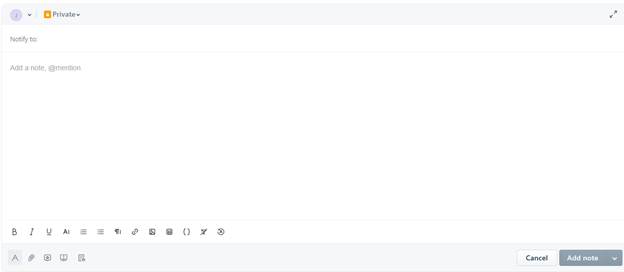
- Click Add Note

- Next to Notify, type in name of individual that you want to communicate with and select them
- In the blank section, type out what you want them to know or respond to
- Click Add Note button at the bottom
- Where it says Private, NEVER change to Public
Was this article helpful?
That’s Great!
Thank you for your feedback
Sorry! We couldn't be helpful
Thank you for your feedback
Feedback sent
We appreciate your effort and will try to fix the article